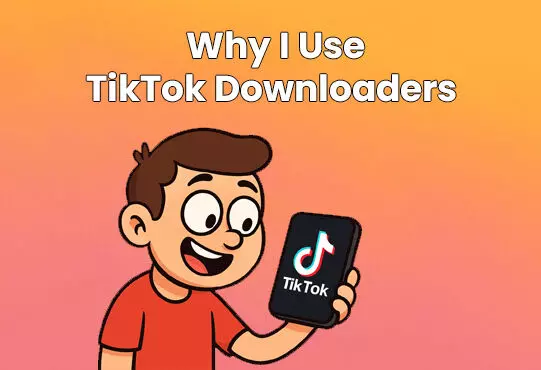
Why I Use TikTok Downloaders

TikTok has this uncanny way of serving me content I didn’t even know I needed. One minute I’m watching someone deep-fry cheese, the next I’m hooked on a home organization hack or cracking up at a comedy skit. It's an endless scroll of gold, and honestly, there are so many moments I want to save for later.
Sure, TikTok lets me save videos straight from the app, but there’s always that watermark, plus the creator’s username stamped right on top. Sometimes it’s fine. But other times, especially when I’m creating content or just want a cleaner version, it feels like an eyesore. That’s when I turn to TikTok downloaders without watermarks.
These tools have been a total game changer. They let me grab high-resolution videos, clean and watermark-free, straight to my device. And when I just want the sound? I switch over to a TikTok MP3 downloader. It’s perfect for extracting that viral audio I can’t get out of my head or using it as background music for another project.
With over 1.7 billion users on TikTok globally as of 2025, I know I’m not the only one who wants a better way to save and organize content. Luckily, there are now plenty of downloader websites that make the whole process super easy. Whether I’m downloading from a desktop or on the go, these tools have features like batch downloads, browser extensions, and even mobile-friendly options.
Let me walk you through a few of my go-to TikTok downloaders, and why they might be worth checking out for yourself.
What I Look For in a TikTok Downloader (It’s Not Just About the Button)
Not every downloader is worth your time. I’ve clicked through my fair share of shady, ad-filled websites promising watermark-free TikToks only to be met with spammy pop-ups or blurry results. Here’s what I’ve learned makes a good TikTok downloader truly stand out:
1. No Watermark = No Headache
If I’m using a clip for a presentation, video edit, or even just reposting on another platform, I don’t want TikTok’s logo plastered across it. Clean videos are way easier to work with, and honestly, they just look better.
2. Download Audio-Only When I Need It
There are times I’m only after the sound, maybe a funny line, a music snippet, or just the vibe. That’s when I switch to MP3 mode. A good TikTok MP3 downloader lets me pull just the audio in seconds.
3. Crystal Clear Quality
Nothing kills a good video faster than low resolution. I always make sure the tool supports HD downloads, so I get the same crisp quality I saw on TikTok in the first place.
4. A Clean, Easy Interface
I don’t have the patience to click through 15 ads just to get one video. I look for tools that are simple, clean, and don’t make me jump through hoops. Bonus if it works just as well on mobile.
5. My Privacy Matters
If a site asks for my TikTok login or any personal info? Big red flag. I only use downloaders that let me stay anonymous and don’t store any of my data.
My Go-To TikTok Downloaders
Listed below are some of the sites I find useful when I’m trying to back-up those unique moments that I find on TikTok. If you see a tool missing, please let me know in the comments.
1. SnapTik – When I Need Speed and Simplicity
SnapTik is another favorite of mine, especially when I’m in a rush. It’s crazy fast and doesn’t overcomplicate anything.
What I Like About It:
- Videos come out totally watermark-free.
- It uses multiple servers, so downloads are super quick, even when I’m downloading a bunch at once.
- The interface is clean, without annoying pop-ups.
Here’s How I Use SnapTik: I grab the TikTok link, head over to SnapTik, paste the link, and pick a server. In a few seconds, my video’s ready to go.
2. TTDownloader.com – Great for Mobile and Desktop Use
If I’m switching between my phone and laptop, TTDownloader.com is my go-to. It works seamlessly across both, and I never have to install anything.
Why It Works for Me:
- Videos are watermark-free and high-def.
- It handles both mobile and desktop like a pro.
- It’s incredibly simple and has minimal ads.
Using It Is Easy: I copy the video link, visit https://ttdownloader.com, paste it in, and pick whether I want video or audio. Boom, done.
3. SSSTikTok – My First Stop for Clean, Fast Downloads
Whenever I want a quick and easy download, SSSTikTok is usually my first choice. It’s free, fast, and doesn’t stick any branding on the videos.
Why I Keep Using It:
- The videos are watermark-free, which is a must for me.
- I can grab just the audio if I want, which I often do for memes or voiceovers.
- The HD quality stays true to the original video.
- There’s barely any clutter, just a clean site that works.
How I Use It: I just copy the TikTok link, head to ssstik website, paste it in, and choose whether I want the video or MP3 version. That’s it. No logins. No nonsense.
Final Thoughts: Taking Control of My TikTok Experience
TikTok is full of creativity, but if you’re like me, you want more control over how you save and use that content. Whether I’m organizing my favorite clips, pulling audio for a project, or just storing ideas for later, having a reliable TikTok downloader makes it so much easier.
From SSSTikTok’s smooth performance to SnapTik’s speed and TTDownloader’s cross-device support, there’s a tool for every kind of user. Some even let you create playlists or manage your saved videos, like SnapTik or TTDownloader, if you want more advanced features.
And if you’re looking to go beyond just saving content and actually grow your TikTok presence, I highly recommend checking out TheEverleigh, a social media growth service that helps boost your visibility with real engagement. Whether you’re building a personal brand or growing your business, it’s a great way to reach more eyes.
Bottom line? These tools give me the flexibility to use TikTok content on my terms. If you’re looking to do the same, give one of them a shot and see how much smoother your TikTok saving experience can be.