How to Clear iPhone Cache: Easy Steps to Speed Up Your Device and Free Up Storage

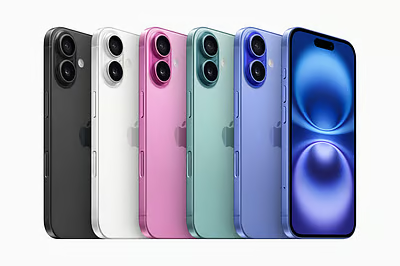
Learn how to clear your iPhone cache in iOS 18 to speed up performance, free up storage, and fix slow iPhone issues for models like iPhone 16, 15, 14.
Is your iPhone running slow? Whether you're using an iPhone 16, iPhone 15, or iPhone 14, a common cause of sluggish performance is a buildup of cached data. Fortunately, clearing the cache is an easy way to speed up your iPhone and free up valuable storage space. Follow this iPhone cache clearing guide 2025 to optimize your iPhone’s speed and performance, especially with the iOS 18 update.
Why Clear the Cache on Your iPhone?
Cached data, which includes images, files, and browsing history, accumulates as you use apps and websites. Over time, this data can slow down your device and cause it to run inefficiently. Clearing the cache not only helps boost iPhone performance but also removes junk files that take up space on your device.
If you have an iPhone running slow, clearing the cache is a simple yet effective fix. Whether you're on iOS 18 or an earlier version, these steps will help you optimize iPhone speed and improve overall performance.
Steps to Clear Cache on iPhone (iPhone 16, 15, 14, iOS 18)
1.Clear Safari Cache
Open Settings > Safari > Clear History and Website Data.
This will delete browsing history, cookies, and cached files from Safari, helping to free up space and speed up iPhone 16, 15, 14 devices running iOS 18.
2.Clear App Cache
While iOS doesn’t offer a direct “clear cache” button for all apps, you can still delete and reinstall any app to clear its cache.
Go to Settings > General > iPhone Storage, select the app you want to remove, and tap Delete App. Then, reinstall the app from the App Store to reset its cache.
3.Clear Message Cache
Open Messages, select an individual conversation, and delete old threads. These messages, especially those with media files, can take up significant space and contribute to your iPhone running slow.
4.Restart Your iPhone
Simply restarting your device can also help remove junk files and clear temporary cache. This small step can optimize iPhone speed without much effort.
Benefits of Clearing the Cache on Your iPhone
Regular cache cleanup can help your iPhone perform better, run faster, and ensure you have enough space for new content. Whether you're trying to speed up iPhone 16, 15, or 14 or just looking to do a quick iPhone storage cleanup iOS 18, following these steps can ensure smoother performance. Removing cached data also resolves minor glitches that may occur during everyday use.
Conclusion
If your iPhone is running slow, don’t fret—clearing the cache is a simple solution that can work wonders. By following this easy way to clear iPhone cache, you’ll see improved performance, especially with the latest iOS 18 update. Keep your device running at its best and enjoy better speed with less clutter, ensuring that your iPhone stays fast and efficient for longer.